
GTK & QT Theming on Hyprland (Simple Guide)
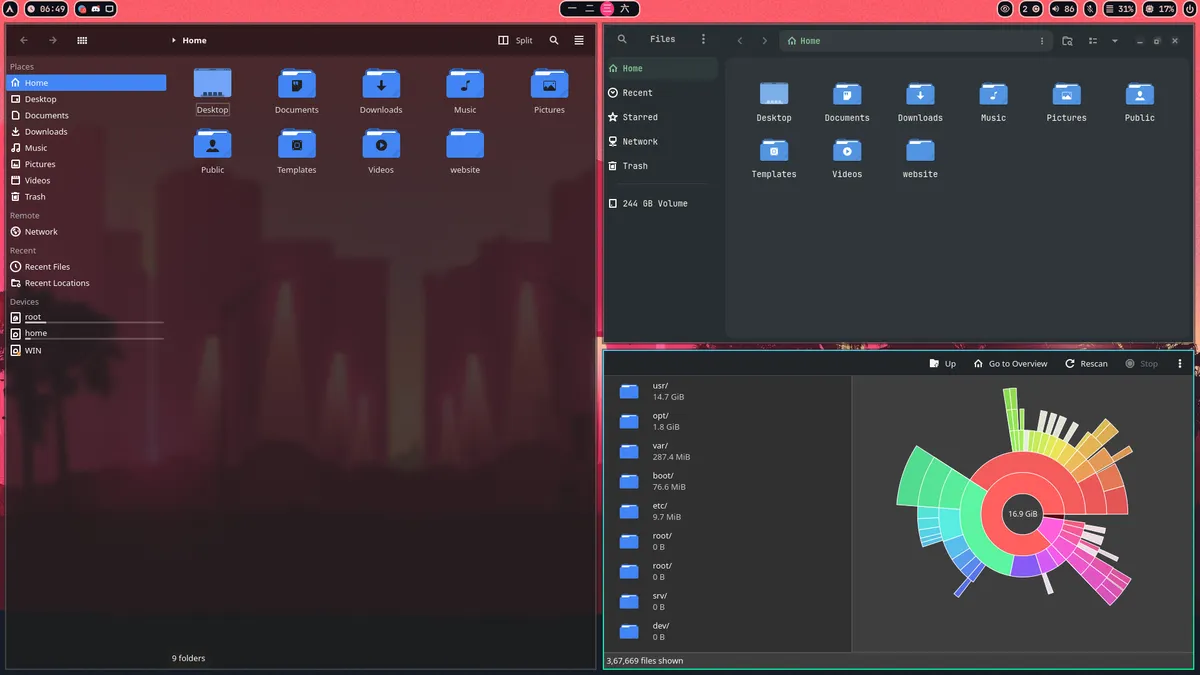
This is a basic guide to make your apps look nice and consistent on Hyprland.
1. 📦 Apps You Need
sudo pacman -S nwg-look qt5-wayland qt6-wayland qt5ct kvantum
paru qt6ct-kde
GTK:
nwg-look
QT:
qt5-waylandqt6-waylandqt5ctkvantumnwg-lookqt6ct-kde
2. 🎨 Themes Used
-
Cursor Theme: Bibata-Modern-Ice (AUR)
-
Icon Theme: Tela-circle-dark
Download -
Kvantum Theme (QT): OrchisDark
Download
3. 📁 Where to Place Themes
- GTK themes →
/usr/share/themes/ - Cursor & Icon themes →
/usr/share/icons/ - Kvantum themes → Import in Kvantum Manager
4. ⚙️ Set These in Hyprland
In ~/.config/hypr/conf/environment.conf:
env = GTK_THEME,Everforest-Teal-Darkenv = GTK_ICON_THEME,Tela-circle-darkenv = XCURSOR_THEME,Bibata-Modern-Iceenv = XCURSOR_SIZE,24env = HYPRCURSOR_SIZE,24env = QT_QPA_PLATFORMTHEME,qt5ctenv = QT_STYLE_OVERRIDE,kvantum- QT envs are important, gtk can be used if some applications are not picking up the gtk theme